I’m going through the docs and trying to get my feet wet with Coldbox AI skills. However, I’m getting an error when I try to run coldbox ai install:
 coldbox ai install

 ██████╗  ██████╗  ██╗      ██████╗  ██████╗   ██████╗  ██╗  ██╗
██╔����� ██╔���██╗ ██║      ██╔��██╗ ██╔��██╗ ██╔���██╗ ╚██╗██╔�
██║      ██║   ██║ ██║      ██║  ██║ ██████╔� ██║   ██║  ╚███╔�
██║      ██║   ██║ ██║      ██║  ██║ ██╔��██╗ ██║   ██║  ██╔██╗
╚██████╗ ╚██████╔� ███████╗ ██████╔� ██████╔� ╚██████╔� ██╔� ██╗
 ╚������  ╚������  ╚������� ╚������  ╚������   ╚������  ╚��  ╚��
        â–„â–„â–„â–„â–„â–„â–„â–„â–„â–„â–„â–„â–„â–„â–„â–„â–„â–„â–„â–„â–„â–„â–„â–„â–„â–„â–„â–„â–„â–„â–„â–„â–„â–„â–„â–„â–„â–„â–„â–„â–„â–„â–„â–„â–„â–„â–„â–„
        ██          AI Integration Installer          ██
        ▀▀▀▀▀▀▀▀▀▀▀▀▀▀▀▀▀▀▀▀▀▀▀▀▀▀▀▀▀▀▀▀▀▀▀▀▀▀▀▀▀▀▀▀▀▀▀▀

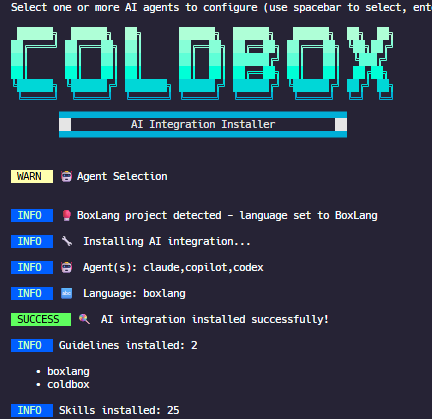
 WARN   🤖 Agent Selection

ERROR (6.3.2+00857)

java.lang.NullPointerException

C:\Users\Henweigh\.CommandBox\cfml\system\Shell.cfc: line 394
392:       keys.bind( capability.key_up.name(), keys.key( terminal, capability.key_up ) );
393:       keys.bind( capability.key_down.name(), keys.key( terminal, capability.key_down ) );
394:       keys.bind( capability.back_tab.name(), keys.key( terminal, capability.back_tab ) );
395:
396:       // Home/end
called from C:\Users\Henweigh\.CommandBox\cfml\system\util\MultiSelect.cfc: line 118
called from C:\Users\Henweigh\.CommandBox\cfml\modules\coldbox-cli\commands\coldbox\ai\install.cfc: line 159
called from C:\Users\Henweigh\.CommandBox\cfml\modules\coldbox-cli\commands\coldbox\ai\install.cfc: line 37
called from C:\Users\Henweigh\.CommandBox\cfml\system\services\CommandService.cfc: line 443
called from C:\Users\Henweigh\.CommandBox\cfml\system\services\CommandService.cfc: line 225
called from C:\Users\Henweigh\.CommandBox\cfml\system\Shell.cfc: line 865
called from C:\Users\Henweigh\.CommandBox\cfml\system\Shell.cfc: line 680
called from C:\Users\Henweigh\.CommandBox\cfml\system\Bootstrap.cfm: line 165

lucee.runtime.exp.NativeException: java.lang.NullPointerException
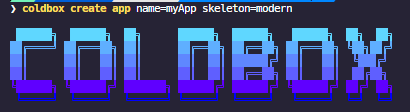
The ASCII art looks a bit funky too:

Operating System: Windows 11 (latest)
Commandbox: 6.3.2
Coldbox-CLI: 8.8.0
Since this is a new feature, I’m not exactly sure how to troubleshoot. Any advice would be most appreciated!