Multi-site bindings are not working as expected

I’ve been debugging an issue where I have two sites that are accessible on different ports, but the HTTP and SSL bindings did not behave predictably. I believe this is a bug.

So I created a super-simple project demonstrating the issue, available here: GitHub - JayTennant/commandbox-6.3-test-site-bindings: This project demonstrates that the HTTP and SSL bindings do not work correctly on multi-site CommandBox 6.3 servers.

In short, there are 3 sites: “a”, “b” and “c”. Each have an HTTP and SSL binding (8080, 8081, 8082, and 8443, 8444, 8445).

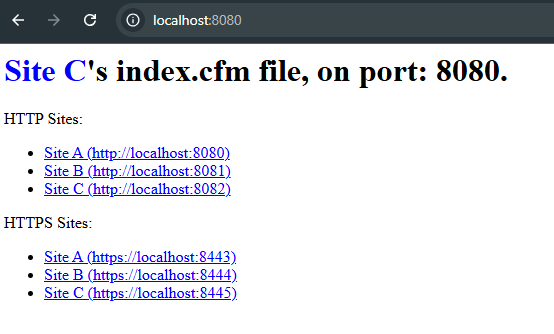
For some reason, navigating to the HTTP port for site “a” (8080) serves content from site “c”, though the port is correctly identified as the same assigned to site “a”.

I’ve tried this for both the latest “lucee7” and “latest” CommandBox containers (CommandBox version 6.3 reported from the terminal).

Does it work with Lucee 6? I beleive Lucee 7 has gone away from web contexts, so this is likely a change in Lucee 7.

It does not work on Lucee 6 either. I tried it with Lucee 6.0, 6.1, 6.2, and Lucee 7.0.

I have cloned your repo and started the server (outside of Docker) and I cannot reproduce your issue. All 3 sites behave correctly for me.

Here is the output of the server info --verbose command

❯ server info --verbose
Looking for server JSON file by convention: C:\Users\brad\Documents\GitHub\commandbox-6.3-test-site-bindings\/server.json
webroot defaulted to location of server's JSON file: C:\Users\brad\Documents\GitHub\commandbox-6.3-test-site-bindings\

Test Site Bindings (stopped)

  - site_a: https://127.0.0.1:8443 --> C:\Users\brad\Documents\GitHub\commandbox-6.3-test-site-bindings\sites\a\
      Bindings:
        - 0.0.0.0:8443:*
        - 0.0.0.0:8080:*

  - site_b: https://127.0.0.1:8444 --> C:\Users\brad\Documents\GitHub\commandbox-6.3-test-site-bindings\sites\b\
      Bindings:
        - 0.0.0.0:8444:*
        - 0.0.0.0:8081:*

  - site_c: https://127.0.0.1:8445 --> C:\Users\brad\Documents\GitHub\commandbox-6.3-test-site-bindings\sites\c\
      Bindings:
        - 0.0.0.0:8082:*
        - 0.0.0.0:8445:*


  Listeners:
    - HTTP
      - 0.0.0.0:8082
      - 0.0.0.0:8080
      - 0.0.0.0:8081
    - SSL
      - 0.0.0.0:8445
      - 0.0.0.0:8444
      - 0.0.0.0:8443

  CF Engine: lucee 7.0.1+100
  Last Started: 16-Jan-2026 12:39:11

Here are relevant portion of the console output while starting the server with --trace:

   |   |------------------------------------------------------------------
   | √ | Configuring site [site_a]
   |   |----------------------------------------
   |   | Site name - site_a
   |   | Webroot - C:\Users\brad\Documents\GitHub\commandbox-6.3-test-site-bindings\sites\a\
   |   | Site config file - C:\Users\brad\Documents\GitHub\commandbox-6.3-test-site-bindings\/server.json
   |   | ------------------------------------------------------
   | √ | Configuring site [site_b]
   |   |----------------------------------------
   |   | Site name - site_b
   |   | Webroot - C:\Users\brad\Documents\GitHub\commandbox-6.3-test-site-bindings\sites\b\
   |   | Site config file - C:\Users\brad\Documents\GitHub\commandbox-6.3-test-site-bindings\/server.json
   |   | ------------------------------------------------------
   | √ | Configuring site [site_c]
   |   |----------------------------------------
   |   | Site name - site_c
   |   | Webroot - C:\Users\brad\Documents\GitHub\commandbox-6.3-test-site-bindings\sites\c\
   |   | Site config file - C:\Users\brad\Documents\GitHub\commandbox-6.3-test-site-bindings\/server.json
   |   |----------------------------------------

and

[INFO ] Runwar: ******************************************************************************
[INFO ] Runwar: Starting Runwar
[INFO ] Runwar:   - Runwar Version: 6.1.3
[INFO ] Runwar:   - Java Version: 21.0.9+10-LTS (Eclipse Adoptium)
[INFO ] Runwar:   - Java Home: C:\Users\brad\.CommandBox\serverJREs\openjdk21_jre_x64_windows_hotspot_jdk-21.0.9+10
[INFO ] Runwar: ******************************************************************************
[INFO ] Runwar: Listeners:
[INFO ] Runwar:   - Binding HTTP on 0.0.0.0:8082
[DEBUG] Runwar:      Setting HTTP/2 enabled: true
[INFO ] Runwar:   - Binding HTTP on 0.0.0.0:8081
[DEBUG] Runwar:      Setting HTTP/2 enabled: true
[INFO ] Runwar:   - Binding HTTP on 0.0.0.0:8080
[DEBUG] Runwar:      Setting HTTP/2 enabled: true
[INFO ] Runwar:   - Binding SSL on 0.0.0.0:8445
[DEBUG] Runwar:      Creating SSL context from: runwar/runwar.keystore trust store: runwar/runwar.truststore
[DEBUG] Runwar:      Loaded store: runwar/runwar.keystore
[DEBUG] Runwar:      Loaded store: runwar/runwar.truststore
[TRACE] Runwar:        Adding CN SNI host match of [localhost] for cert [CN=localhost, EMAILADDRESS=info@ortussolutions.com, O=Ortus Solutions, ST=TX, C=US]
[DEBUG] Runwar:      Setting HTTP/2 enabled: true
[INFO ] Runwar:   - Binding SSL on 0.0.0.0:8444
[DEBUG] Runwar:      Creating SSL context from: runwar/runwar.keystore trust store: runwar/runwar.truststore
[DEBUG] Runwar:      Loaded store: runwar/runwar.keystore
[DEBUG] Runwar:      Loaded store: runwar/runwar.truststore
[TRACE] Runwar:        Adding CN SNI host match of [localhost] for cert [CN=localhost, EMAILADDRESS=info@ortussolutions.com, O=Ortus Solutions, ST=TX, C=US]
[DEBUG] Runwar:      Setting HTTP/2 enabled: true
[INFO ] Runwar:   - Binding SSL on 0.0.0.0:8443
[DEBUG] Runwar:      Creating SSL context from: runwar/runwar.keystore trust store: runwar/runwar.truststore
[DEBUG] Runwar:      Loaded store: runwar/runwar.keystore
[DEBUG] Runwar:      Loaded store: runwar/runwar.truststore
[TRACE] Runwar:        Adding CN SNI host match of [localhost] for cert [CN=localhost, EMAILADDRESS=info@ortussolutions.com, O=Ortus Solutions, ST=TX, C=US]
[DEBUG] Runwar:      Setting HTTP/2 enabled: true
[DEBUG] Runwar: ******************************************************************************

and

[INFO ] Runwar: ******************************************************************************
[INFO ] Runwar: Creating deployment [site_c]
[DEBUG] Runwar:   Initialized MappedResourceManager
[INFO ] Runwar:     Web Root: C:\Users\brad\Documents\GitHub\commandbox-6.3-test-site-bindings\sites\c
[DEBUG] Runwar:   New servlet context created for [site_c]
[DEBUG] Runwar: ******************************************************************************
[INFO ] Runwar: Creating deployment [site_b]
[DEBUG] Runwar:   Initialized MappedResourceManager
[INFO ] Runwar:     Web Root: C:\Users\brad\Documents\GitHub\commandbox-6.3-test-site-bindings\sites\b
[DEBUG] Runwar:   New servlet context created for [site_b]
[DEBUG] Runwar: ******************************************************************************
[INFO ] Runwar: Creating deployment [site_a]
[DEBUG] Runwar:   Initialized MappedResourceManager
[INFO ] Runwar:     Web Root: C:\Users\brad\Documents\GitHub\commandbox-6.3-test-site-bindings\sites\a
[DEBUG] Runwar:   New servlet context created for [site_a]
[DEBUG] Runwar: ******************************************************************************

and

Undertow: Configuring listener with protocol HTTP for interface 0.0.0.0 and port 8082
Undertow: Configuring listener with protocol HTTP for interface 0.0.0.0 and port 8081
Undertow: Configuring listener with protocol HTTP for interface 0.0.0.0 and port 8080
Undertow: Configuring listener with protocol HTTPS for interface 0.0.0.0 and port 8445
Undertow: Configuring listener with protocol HTTPS for interface 0.0.0.0 and port 8444
Undertow: Configuring listener with protocol HTTPS for interface 0.0.0.0 and port 8443

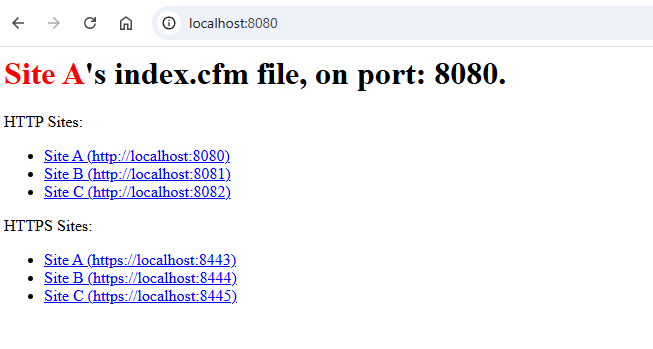
When I hit the URL http://localhost:8080/ the following is output in the console

[TRACE] Runwar: Binding is for site: site_a
[DEBUG] Runwar: requested: 'http://localhost:8080/'

and the following page appears:
image

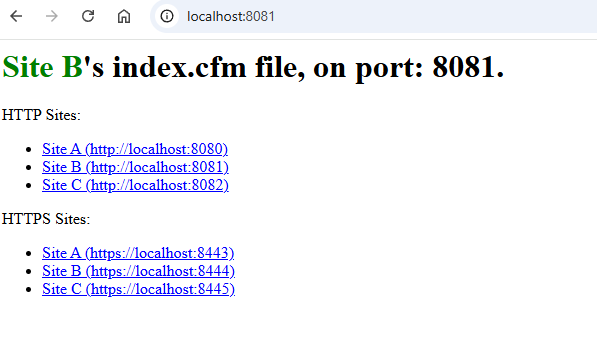
When I hit the URL http://localhost:8081/ the following is output in the console

[TRACE] Runwar: Binding is for site: site_b
[DEBUG] Runwar: requested: 'http://localhost:8081/'

and the following page appears:
image

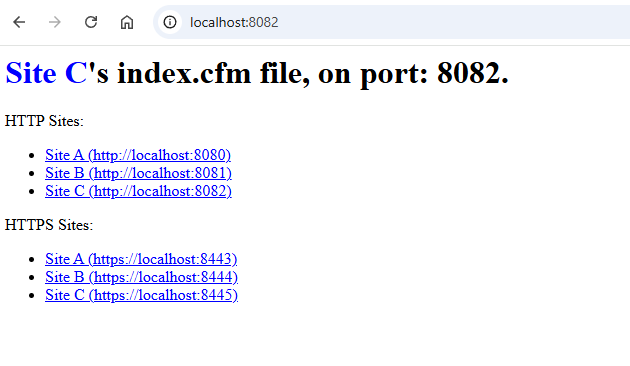
When I hit the URL http://localhost:8082/ the following is output in the console

[TRACE] Runwar: Binding is for site: site_c
[DEBUG] Runwar: requested: 'http://localhost:8082/'

and the following page appears:
image

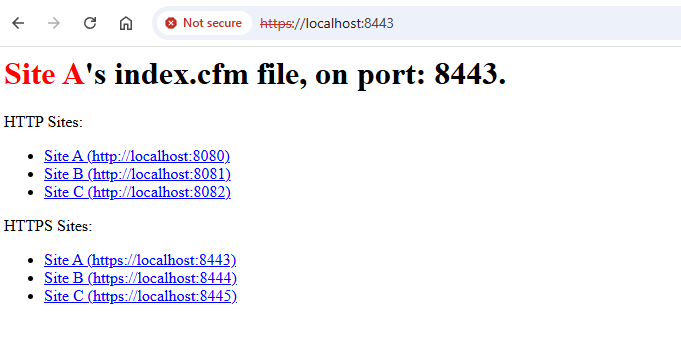
When I hit the URL https://localhost:8443/ the following is output in the console

[TRACE] Runwar: Binding is for site: site_a
[DEBUG] Runwar: requested: 'https://localhost:8443/'

and the following page appears:
image

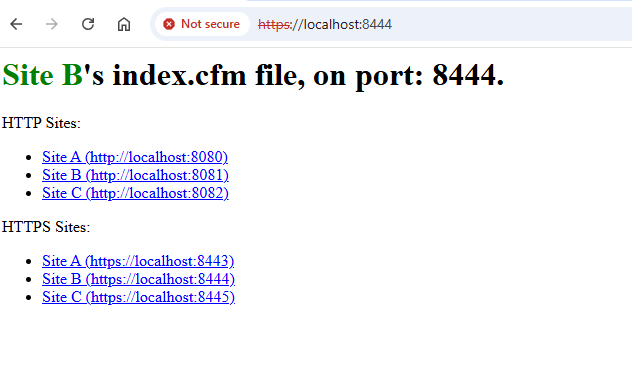
When I hit the URL https://localhost:8444/ the following is output in the console

[TRACE] Runwar: Binding is for site: site_b
[DEBUG] Runwar: requested: 'https://localhost:8444/'

and the following page appears:
image

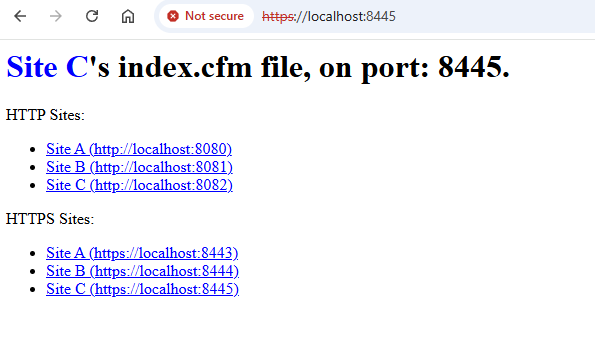
When I hit the URL https://localhost:8445/ the following is output in the console

[TRACE] Runwar: Binding is for site: site_c
[DEBUG] Runwar: requested: 'https://localhost:8445/'

and the following page appears:
image

1 Like

Thank you for testing this out. I’m not sure why, but my experience is different. Using the cloned repository, I am getting unexpected results.

I executed “box server info --verbose” on the container, and the bindings appeared as:

Looking for server JSON file by convention: /app//server.json
webroot defaulted to location of server's JSON file: /app/

Test Site Bindings (running)

  - site_a: https://127.0.0.1:8443 --> /app/sites/a/
      Bindings: 
        - 0.0.0.0:8443:*

  - site_b: https://127.0.0.1:8444 --> /app/sites/b/
      Bindings: 
        - 0.0.0.0:8444:*
        - 0.0.0.0:8081:*

  - site_c: https://127.0.0.1:8445 --> /app/sites/c/
      Bindings: 
        - 0.0.0.0:8082:*
        - 0.0.0.0:8445:*
        - 0.0.0.0:8080:*


  Listeners:
    - HTTP
      - 0.0.0.0:8082
      - 0.0.0.0:8080
      - 0.0.0.0:8081
    - SSL
      - 0.0.0.0:8445
      - 0.0.0.0:8444
      - 0.0.0.0:8443

  CF Engine: lucee 7.0.0+395
  Last Started: 17-Jan-2026 05:06:06

For some reason, the binding for port 8080 is being assigned to “site_c”, and it looks like the Lucee version specified in server.json (7.0.1.100) is not used while executing this command (shows 7.0.0.395).

My experience of going to each link in the demo is the same as yours, except when vising http://localhost:8080. My result looks like:
Screenshot 2026-01-16 232302

I’ll try running this outside of a container and see if there’s any difference.

Okay, I’ve run this outside of the container, and it does work on my Windows 11 machine. The server info command shows the following:

Looking for server JSON file by convention: C:\Users\jayte\Development\Repos\JayTennant\commandbox-6.3-test-site-bindings\/server.json
webroot defaulted to location of server's JSON file: C:\Users\jayte\Development\Repos\JayTennant\commandbox-6.3-test-site-bindings\

Test Site Bindings (running)

  - site_a: https://127.0.0.1:8443 --> C:\Users\jayte\Development\Repos\JayTennant\commandbox-6.3-test-site-bindings\sites\a\
      Bindings:
        - 0.0.0.0:8443:*
        - 0.0.0.0:8080:*

  - site_b: https://127.0.0.1:8444 --> C:\Users\jayte\Development\Repos\JayTennant\commandbox-6.3-test-site-bindings\sites\b\
      Bindings:
        - 0.0.0.0:8444:*
        - 0.0.0.0:8081:*

  - site_c: https://127.0.0.1:8445 --> C:\Users\jayte\Development\Repos\JayTennant\commandbox-6.3-test-site-bindings\sites\c\
      Bindings:
        - 0.0.0.0:8082:*
        - 0.0.0.0:8445:*


  Listeners:
    - HTTP
      - 0.0.0.0:8082
      - 0.0.0.0:8080
      - 0.0.0.0:8081
    - SSL
      - 0.0.0.0:8445
      - 0.0.0.0:8444
      - 0.0.0.0:8443

  CF Engine: lucee 7.0.1+100
  Last Started: 16-Jan-2026 23:48:21

The Lucee engine being reported in this command is also the same as set in the server.json file.

The only change I had to make to the server.json file to make this work is to set default values for the interpolated environment variables (just to keep the demo simple). So server.json has values like:

"listen" : "${SITE_A_PORT:8080}"

instead of:

"listen" : "${SITE_A_PORT}"

Part of the issue is likely using a pre warmed image. Firstly, that locks in the lucee version which is why your versions don’t match. When you use a pre-warmed image, you don’t get a say in the engine version. You’re stuck with whatever version the image was built with. I have a feeling that is also part of your port issue as the prewarmed image already has bindings for 8080. Remove the lucee7 tag from your compose and just use a vanilla image that will use your fresh settings on first start.

1 Like

Thanks for the insight. You were right, switching to the “latest” container tag, and either setting the environmental variable BOX_SERVER_APP_CFENGINE or setting the app.cfengine in server.json pulled the target Lucee image for use.

Regarding the primary issue, I have tested this now in several forms. In short, by setting the environmental variables PORT and SSL_PORT to 9080 and 9443 respectively, I no longer have any issues. From the command box server info --verbose executed on the container, the output is:

Looking for server JSON file by convention: /app//server.json
webroot defaulted to location of server's JSON file: /app/

Test Site Bindings (running)

  - site_a: https://127.0.0.1:8443 --> /app/sites/a/
      Bindings: 
        - 0.0.0.0:8443:*
        - 0.0.0.0:8080:*

  - site_b: https://127.0.0.1:8444 --> /app/sites/b/
      Bindings: 
        - 0.0.0.0:8444:*
        - 0.0.0.0:8081:*

  - site_c: https://127.0.0.1:8445 --> /app/sites/c/
      Bindings: 
        - 0.0.0.0:8082:*
        - 0.0.0.0:8445:*
        - 0.0.0.0:9080:*


  Listeners:
    - HTTP
      - 0.0.0.0:8082
      - 0.0.0.0:8080
      - 0.0.0.0:8081
      - 0.0.0.0:9080
    - SSL
      - 0.0.0.0:8445
      - 0.0.0.0:8444
      - 0.0.0.0:8443

  CF Engine: lucee 7.0.1+100
  Last Started: 19-Jan-2026 09:07:01

As you can see, the defined PORT value of 9080 is a listener bound to “site_c” (I’m guessing because “site_c” is the first one deployed). The SSL_PORT value of 9443 does not have a listener created nor bound, though. Following is the servlet deployment log:

[INFO] 2026-01-19T09:07:02Z runwar.server - Listeners:
[INFO] 2026-01-19T09:07:02Z runwar.server -   - Binding HTTP on 0.0.0.0:9080
[INFO] 2026-01-19T09:07:02Z runwar.server -   - Binding HTTP on 0.0.0.0:8082
[INFO] 2026-01-19T09:07:02Z runwar.server -   - Binding HTTP on 0.0.0.0:8081
[INFO] 2026-01-19T09:07:02Z runwar.server -   - Binding HTTP on 0.0.0.0:8080
[INFO] 2026-01-19T09:07:02Z runwar.server -   - Binding SSL on 0.0.0.0:8445
[INFO] 2026-01-19T09:07:02Z runwar.server -   - Binding SSL on 0.0.0.0:8444
[INFO] 2026-01-19T09:07:02Z runwar.server -   - Binding SSL on 0.0.0.0:8443
[INFO] 2026-01-19T09:07:02Z runwar.server - ******************************************************************************
[INFO] 2026-01-19T09:07:02Z runwar.server - Configuring Servlet
[INFO] 2026-01-19T09:07:02Z runwar.server -   Found WEB-INF: '/usr/local/lib/serverHome/WEB-INF'
[INFO] 2026-01-19T09:07:02Z runwar.server - ******************************************************************************
[INFO] 2026-01-19T09:07:02Z runwar.server - Creating deployment [site_c]
[INFO] 2026-01-19T09:07:02Z runwar.server -     Web Root: /app/sites/c
[INFO] 2026-01-19T09:07:03Z runwar.server - Creating deployment [site_b]
[INFO] 2026-01-19T09:07:03Z runwar.server -     Web Root: /app/sites/b
[INFO] 2026-01-19T09:07:03Z runwar.server - Creating deployment [site_a]
[INFO] 2026-01-19T09:07:03Z runwar.server -     Web Root: /app/sites/a

As a follow up, is it desirable for a defined SSL_PORT value to also create a listener and bind it to the first site?
Also, is this an acceptable way to specify the automatically bound port does not conflict with server.json sites? Finally, when would be the case to use the automatically bound PORT value, but not define it in the server.json file? Is it for the convenience?

Thanks so much for solving my confusion on this.

I"m pretty sure our base docker image puts the default HTTP and SSL ports into the actual start command (this is something you can’t control).

server start port=8080 sslPort=443

or whatever, which is the same as putting them in the legacy bindings of the default site in multi-site mode.

Really, this is because 99% of people using Docker aren’t using multi-site and aren’t using multiple bindings. So this is really more of a behavior of our Docker containers and unrelated to CommandBox proper.

I can’t speak much to how our docker images work, but @jclausen can chime in. Jon, perhaps we need to have a mode that disables the default port bindings our containers create so people like Jay can take full control with their server.json instead?

1 Like

@JayTennant

The listening ports can be influenced by the PORT and SSL_PORT environment variables, as you are aware.

The Docker containers were developed before CommandBox had the multi-site functionality. That being said, we may need to look in to the best way to handle this with multi-site/multi-port. Could you provide your server.json file so I can dig in to this a bit?

It’s possible I could either add an environment variable to skip opinionated port bindings or inspect the server.json for a multi-port config.

1 Like

@jclausen You can see it in the sample repo he linked to above. But really, I assume this would affect any server using per-site bindings.

I get the opinionated design, it makes a lot of sense given the large majority use cases. I also get that even many multi-site cases may only be differentiating by the host alias, not the port.

@jclausen From a code-as-documentation point of view, having an environmental variable that turns off opinionated port bindings would be very easy for me to follow. Or if checking the server.json under sites."my_site_name".bindings, or web.bindings, that would be even simpler.

However, It’s also very easy for me to simply mark PORT to some value I don’t intend to use, like something over 9000. Honestly, just making a short mention in the container documentation of the opinionated port binding and how to avoid an unintended mixup if the user wants multi-site with different ports would be enough for me.

I pushed an update yesterday that will inspect your server.json for the presence of a multi-site configuration. I just pushed an update that will also allow for a SKIP_PORT_ASSIGNMENTS environment variable that, when true, will not assign any opinionated ports.

As such it will be up to the developer to ensure the internal/external port mappings or EXPOSE directives are provided.

You can try with ortussolutions/commandbox:latest-snapshot when this build finishes. If that works well for you, I will bump an image version release.

1 Like

Holy cannoli, that’s awesome! I will test this out sometime later today after the build finishes, and get back to you.

@jclausen Thanks again for the work on this! I tested it out, and the environmental variable works perfectly (and also very easy to read in the docker compose file).

On further thought about the server.json detection of multi site bindings, I realize it’s quite a can of worms to support. For example, in the Configuring Sites | CommandBox docs, it mentioned several places where site bindings may be set:

  • settings in a .site.json file inside a web root of a site
  • settings in an external site JSON file pointed to by the siteConfigFiles setting in server.json
  • site-specific object in the sites object of server.json
  • settings in the web object of server.json
  • server.default settings in CommandBox’s global config settings

In view of the wide area of where bindings and sites may be defined, I’d be quite happy not having a detection within the server.json file, instead keeping only the environmental variable to disable opinionated port bindings. From a support perspective, that could reduce some headaches for you guys, so I recant my earlier request / suggestion for checking the site bindings in server.json.

Lastly, for the name of the environmental variable, the name works well already. Since this will become part of the catalog of variables, might I make one suggestion for your review? Perhaps name it as:

  • SKIP_AUTO_PORT_ASSIGNMENTS
  • SKIP_OPINIONATED_PORT_BINDINGS
  • SKIP_AUTO_PORT_BINDINGS
  • SKIP_IMPLIED_PORT_ASSIGNMENTS
  • SKIP_IMPLIED_PORT_BINDINGS

Or something like that – something to convey that it’s the opinionated port bindings that are being skipped. However, considering the original environmental variables of PORT and SSL_PORT, the SKIP_PORT_ASSIGNMENTS you’ve already defined may indeed be the simplest, best choice, and I’d be quite happy using that.

Anyway, I submit this feedback for your review. Thank you so much for your attention to this!