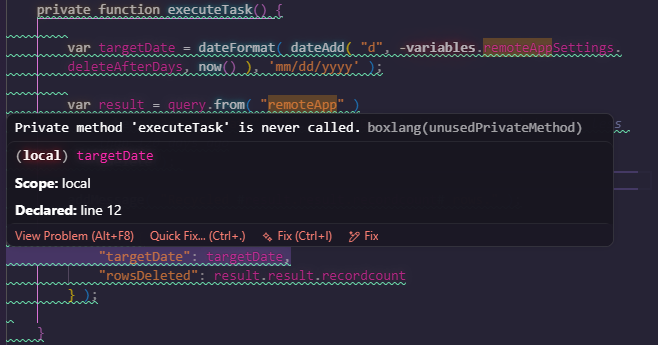
It looks like there’s a problem with the VS Code Boxlang extension linter. It’s flagging all of my override methods as “unusedPrivateMethod”, and it’s making it hard to edit due to the way it dims the code. These methods are overrides from an extended component.
In the meantime, is there a way to disable the linter or at the very least ignore the unusedPrivateMethod rule? I am not seeing it in the plugin settings.
@Jacob_Beers, is there a way to made the flagging less disruptive. Obviously, the eventual fix is for the linter to be able to find the super class, but it also seems like we’d only want to put the squiggles on the method declaration line, not on the entire body of the method.